
Label the product
Print a clear product label with the item name, SKU, location, and a scannable code that opens its YardStock record.
QR code inventory
A practical yard label opens the right product on a phone. From there, the crew can take out, put in, count, or check where material belongs.
From the label to the ledger
After opening an item and recording a move, review the quantity, team member, time, and location in YardStock's inventory history.
Explore the interactive demo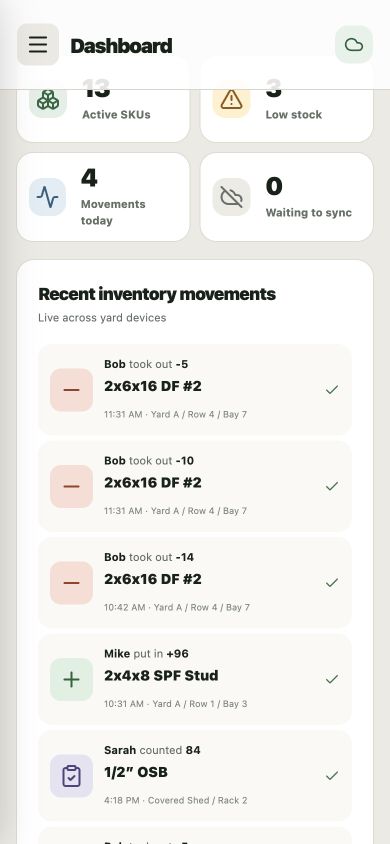
Print a clear product label with the item name, SKU, location, and a scannable code that opens its YardStock record.
Reduce catalog hunting and naming confusion by taking the employee directly to the material they are standing beside.
Large, simple actions make checkouts, receives, and physical counts easier to capture at the point of work.
Each recorded change adds useful context for the manager: item, quantity, employee, time, and location.
$29 per month. No setup fee.
Create your account, add your yard and crew, and start building a useful inventory trail. Simple monthly billing through Stripe.